
Your baby's photos,
shared privately.
FamFrame keeps your family's photos and videos stored securely in your own Google Drive — creating a digital heirloom that never lives on our servers.
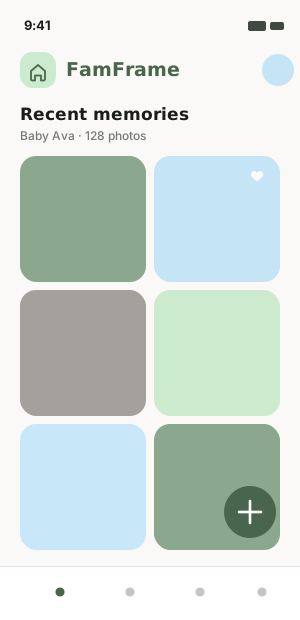
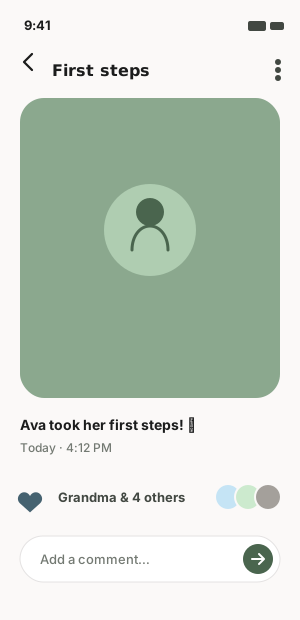
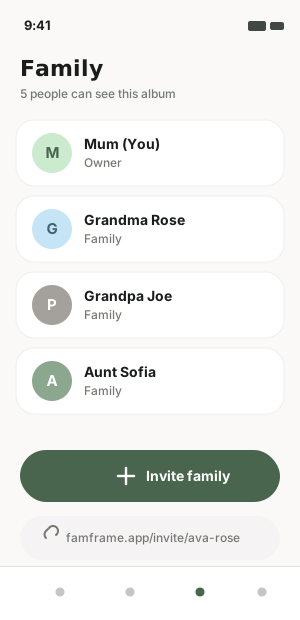
A calm home for your memories
Everything you love about a shared album, without giving up control of your photos.
Total Privacy
Only the family members you invite can ever see your album. No public feeds, no strangers.
You Own the Data
Every photo and video syncs straight to your own Google Drive — it never lives on our servers.
For the Whole Family
Invite grandparents, aunts and uncles with a single link. Everyone stays in the loop.
Gentle Updates
A quiet notification when a new memory is added — never noisy, never spammy.
Set up in three steps
Download the app
Get FamFrame on iOS or Android and sign in with Google — your photos will live in your own Drive.
Add your memories
Upload photos and videos of the little moments. They're compressed and stored securely in your Drive.
Share with family
Send an invite link. Loved ones see every new memory the moment it's added.
We can't see your photos. That's the point.
FamFrame uses the Google Drive drive.file scope — it can only touch the single FamFrame folder it creates for you. Your other files stay invisible to us, and your memories stay yours forever, even if you stop using the app.
- Photos never stored on FamFrame servers
- Scoped access to one folder only
- Keep your files if you leave
- Backed by Google's security & storage
It's the AI age. Your baby isn't training data.
Every other app is quietly feeding your photos to algorithms. We refuse. FamFrame runs zero AI on your family's memories — the little ones you cherish are never scanned, recognised, or used to teach a machine anything.
No facial recognition
We never scan, tag, or identify the people in your photos. The faces you love stay just faces.
No model training
Your memories are never used to train AI — not ours, not a third party's. Ever.
No data mining
No profiling, no ad targeting, no selling your data. Your family isn't a product.
It's the age of AI — and we still choose total privacy. Your precious ones' memories belong to you and the family you share them with. No one else.
Start your family's digital heirloom
FamFrame is launching soon on iOS and Android. A private space for the people who matter — no ads, no data harvesting.